Docbook is a calendar-based notebook
with AI-powered topic detection.
Pick any day and write.
Less manual organization.
Free, for macOS 26 or later. On the App Store for iPhone and iPad.
Notes, topics and tasks in any browser. The Mac app has everything on this page.
On the App Store for iPhone and iPad. Get the Mac app from this site.
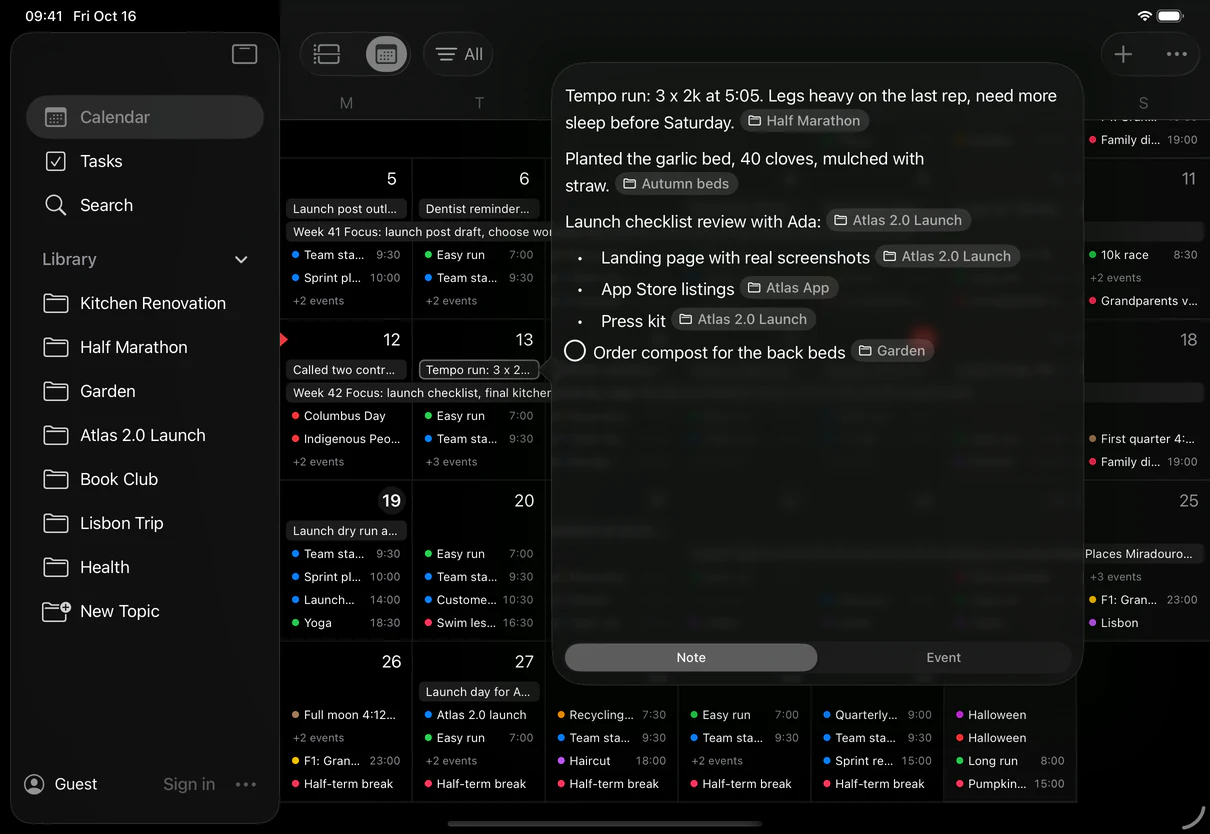
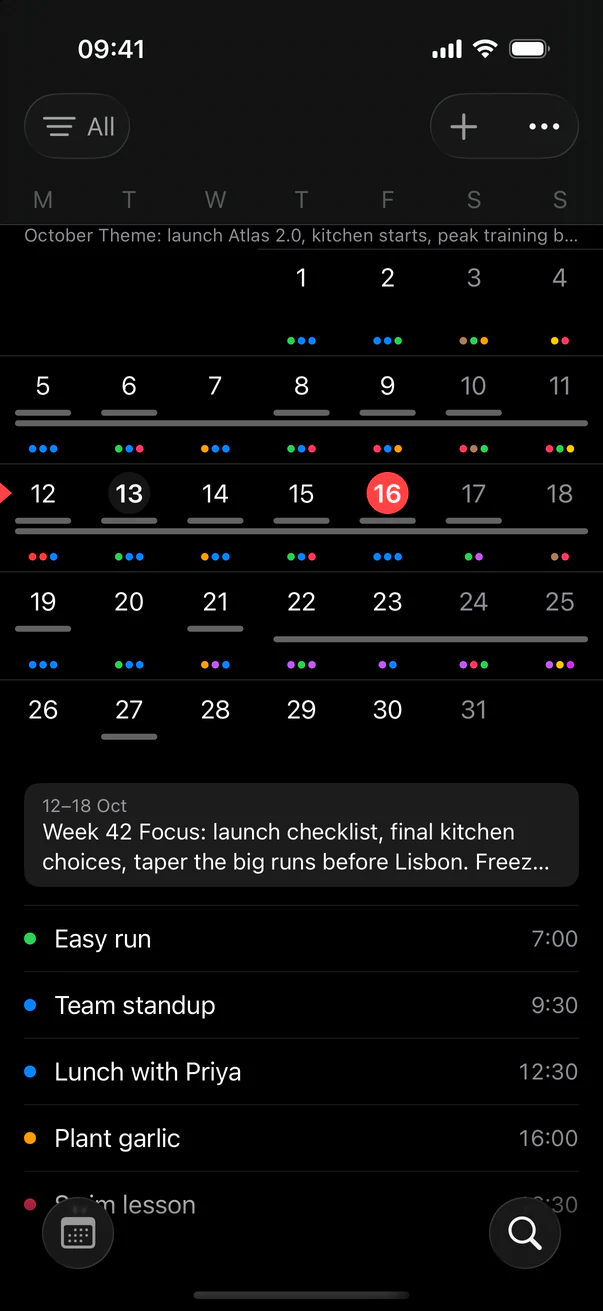
Write your notes, tasks, and ideas on any day. Docbook reads what you wrote and files each paragraph under its topic, on a page of its own. Not where you want it? Take it out with a tap.
No folders. No tags to maintain. The calendar stays the way you wrote it.
Calendar
A calendar you can write on.
Click any day and its note opens right there, over the month. No new page, no title to think of. Just start writing.
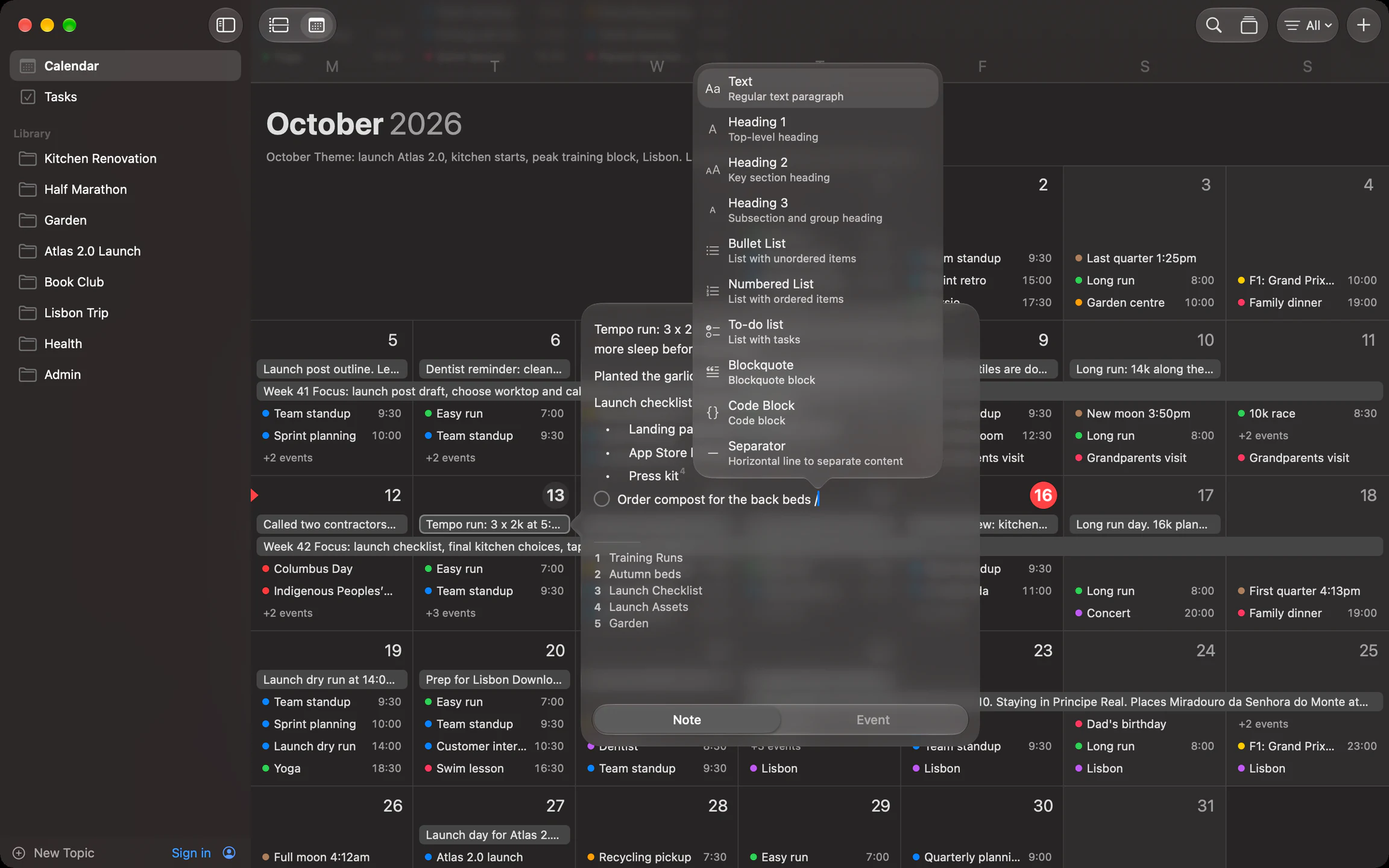
Markdown as you type
Headings, lists, to-dos, quotes, code and links. Type the shortcut, or press / for the menu.
Note or event
One switch at the foot of the popover turns the same day into a new event.
The whole month at a glance
Notes and events share each day. Filter the month to All, Notes or Events.
Plan a range
Drag across the days you're planning.
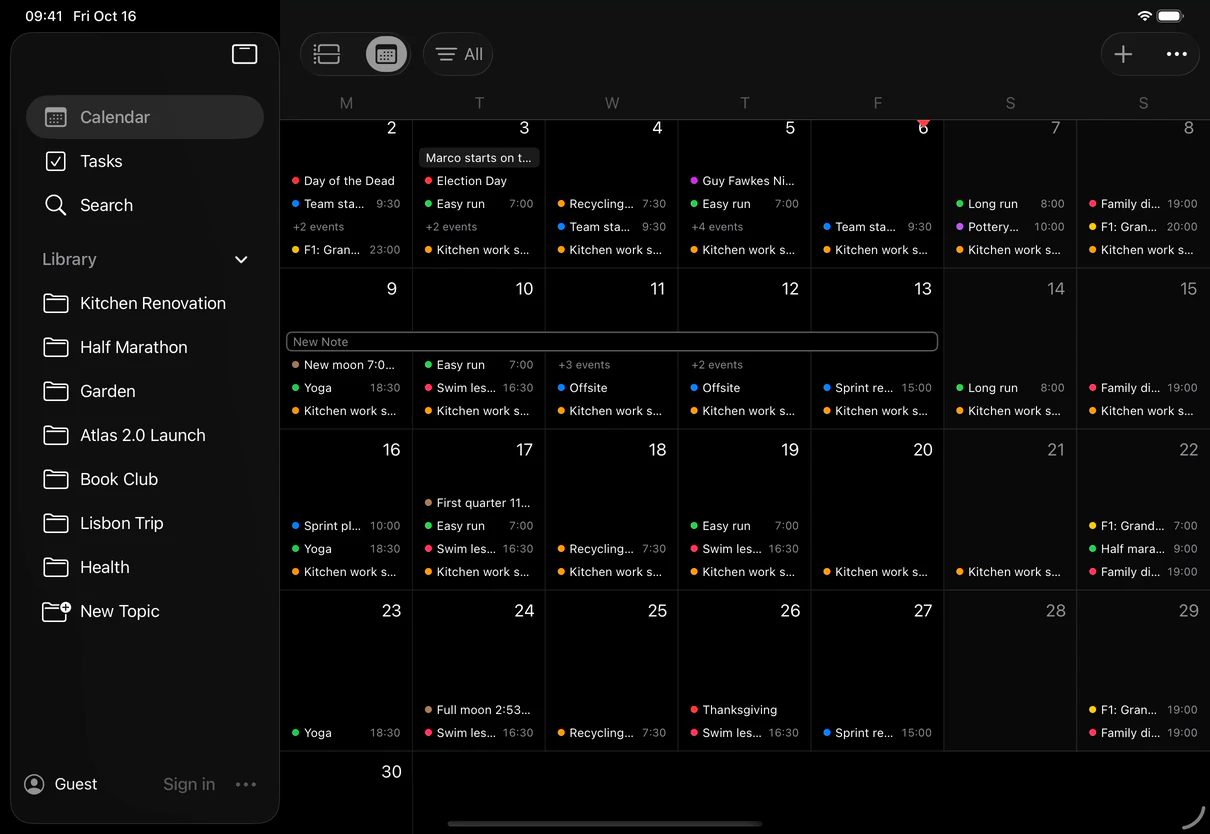
A trip, a sprint, a week the kitchen is out of use: drag across those dates and one note covers them all. It draws as a single band on the calendar and opens whole, wherever you click it.
Mac
Click and drag across the month.
iPad and iPhone
Press and hold a day, then draw across the others.
Events too
Switch the month to Events and the same drag makes a multi-day event.
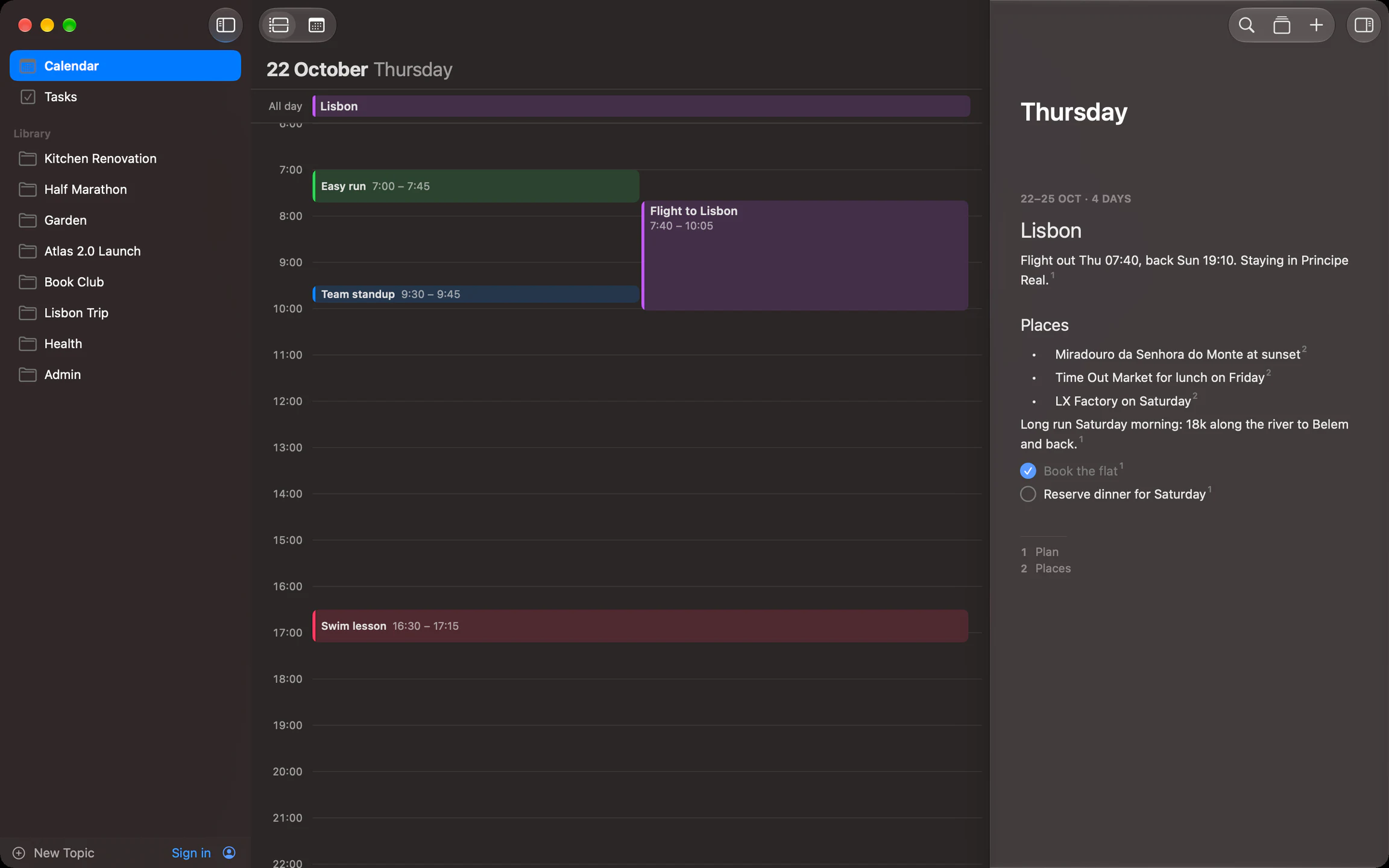
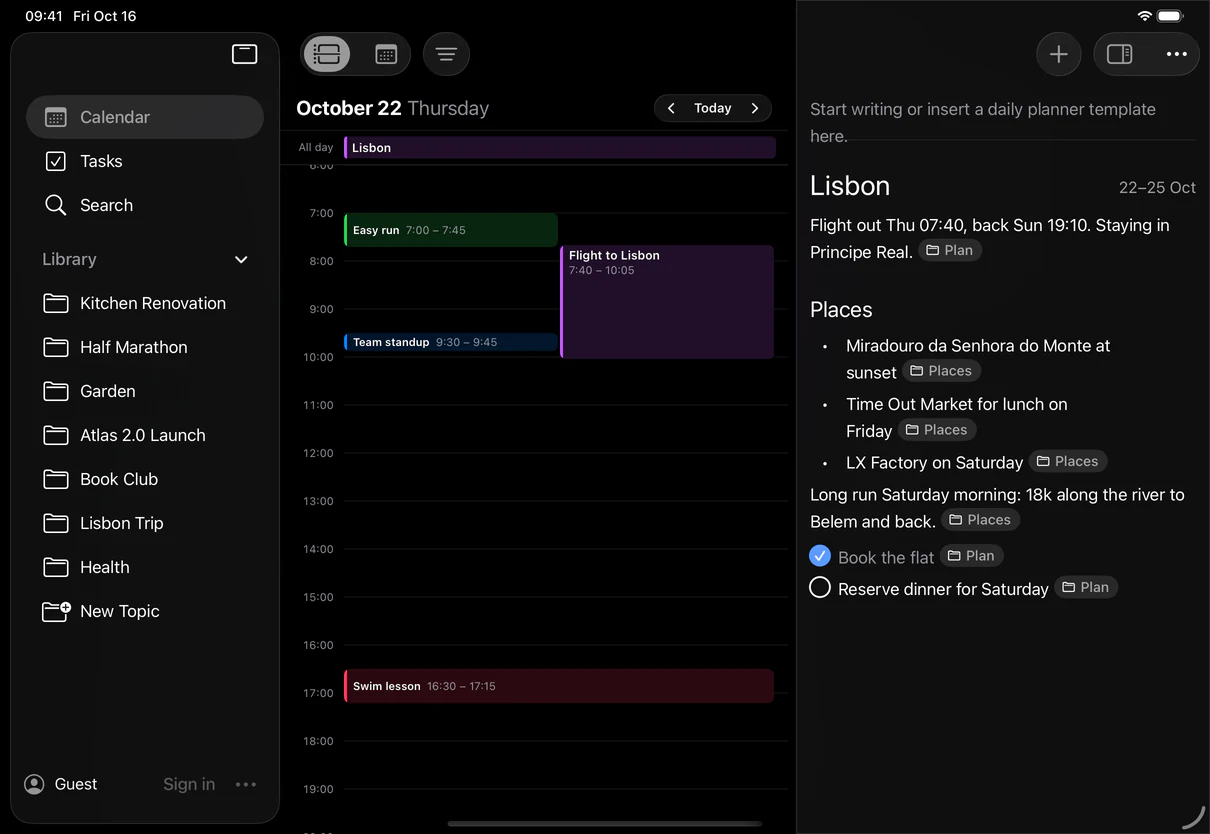
Day page
Your hours and your notes, side by side.
Open a day to see its schedule from Apple Calendar next to the day's note, along with every multi-day note that covers it. Pull past the edge to move to the next day.
Tasks
Tasks live in the note. And on the calendar.
Write a to-do on any line of a day's note. It belongs to that day, sits next to the day's hours, and if the day ends with it still open, Tasks keeps it in view as overdue until it's done.
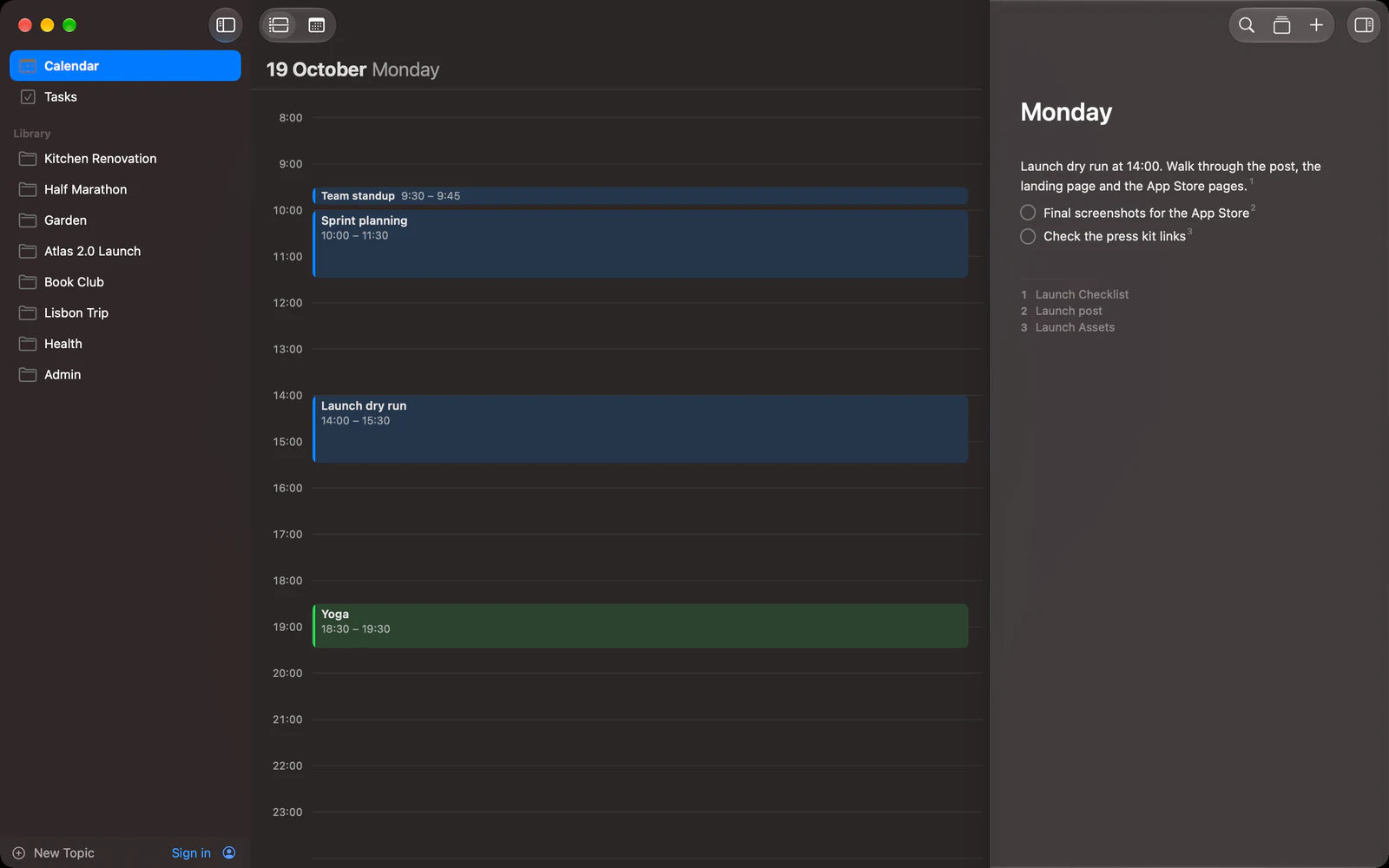
A task on any line
Type [ ] or pick To-do list from the / menu. No separate inbox, no app to switch to.
Dated by its note
A task in Monday's note is Monday's task, right beside Monday's meetings on the day page.
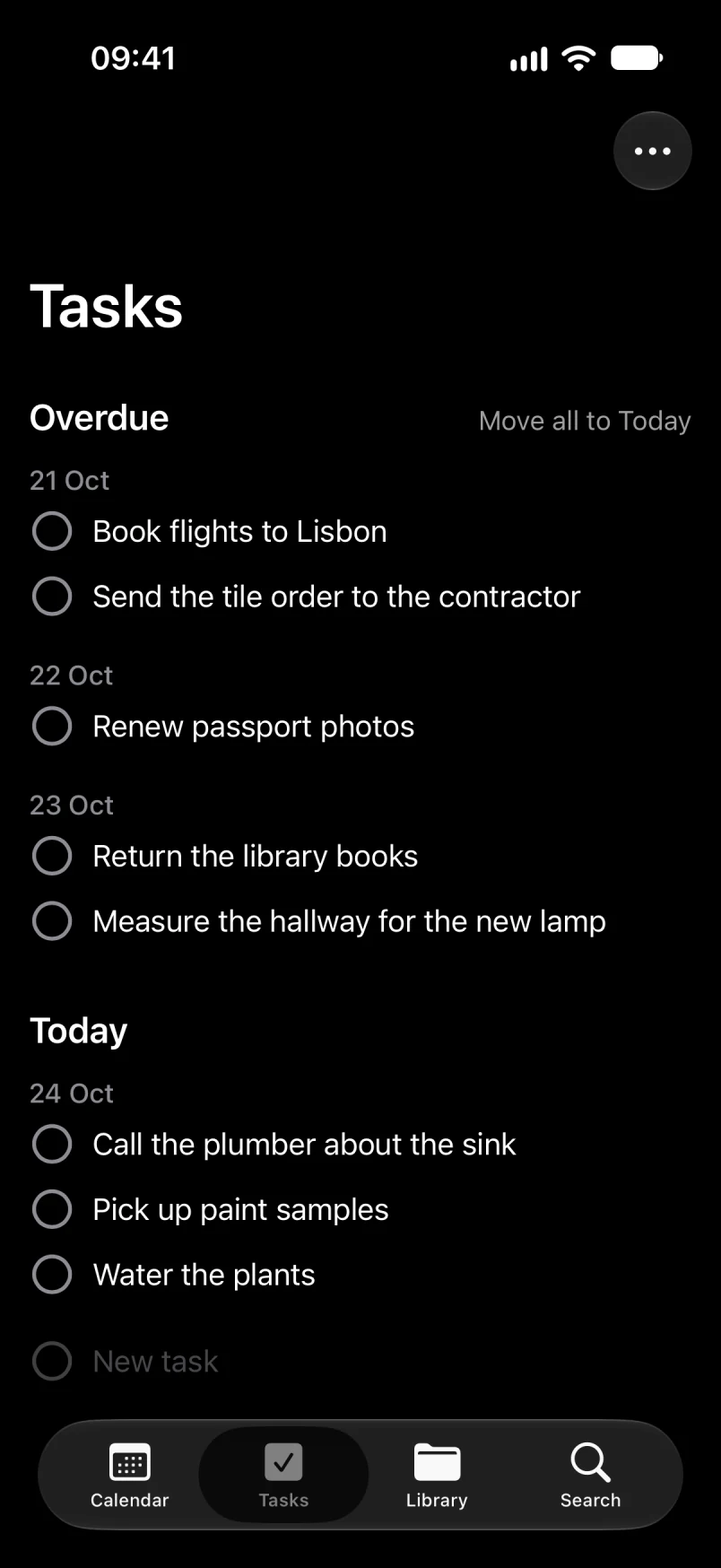
Overdue, never lost
Open tasks from days that have passed collect under Overdue in Tasks. They stay in the note where you wrote them.
Apple Calendar
Your calendars, already here.
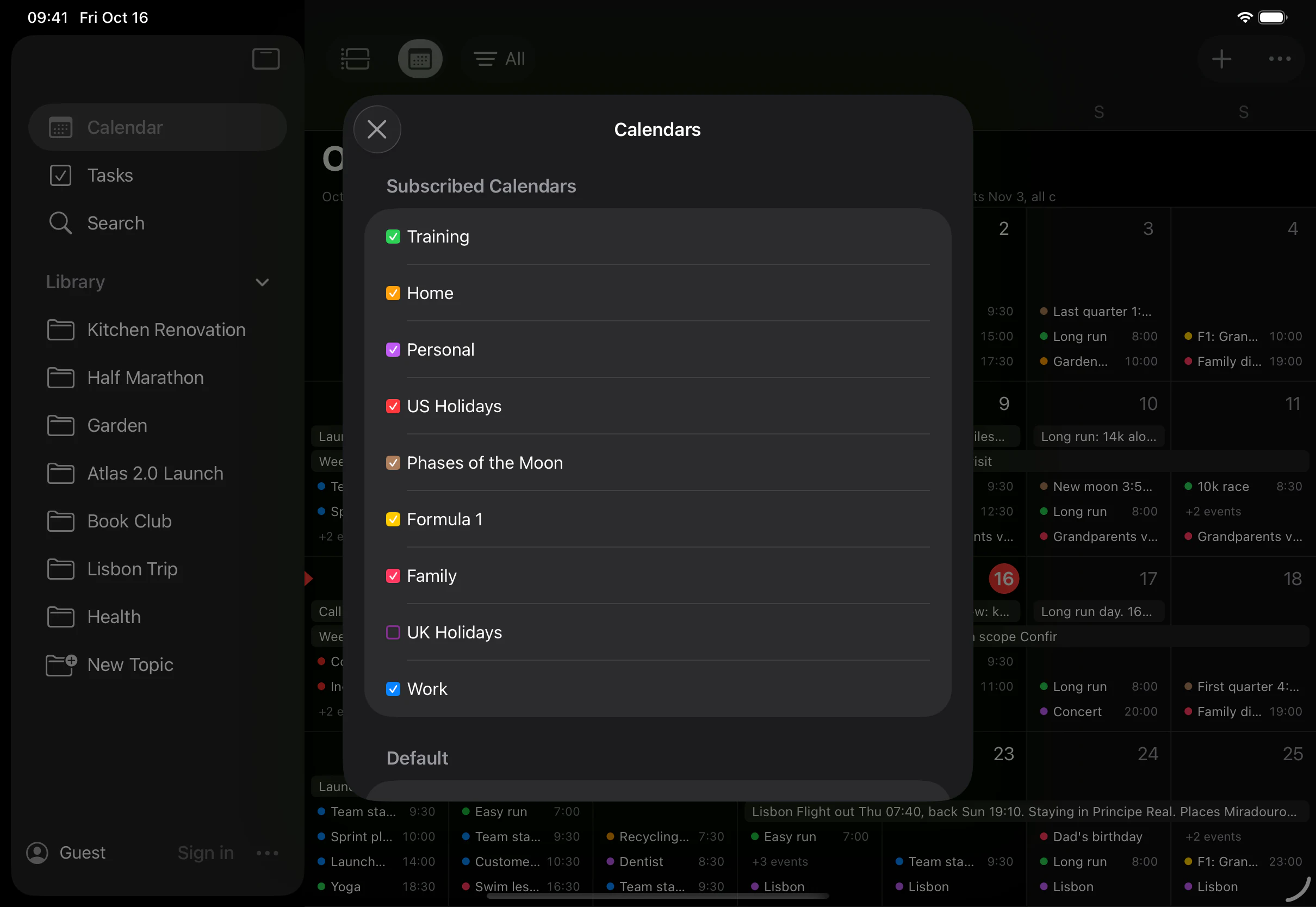
Turn on Apple Calendar and every calendar you keep shows up in its own color: work, family, training, holidays, even the moon. No import, no extra account.
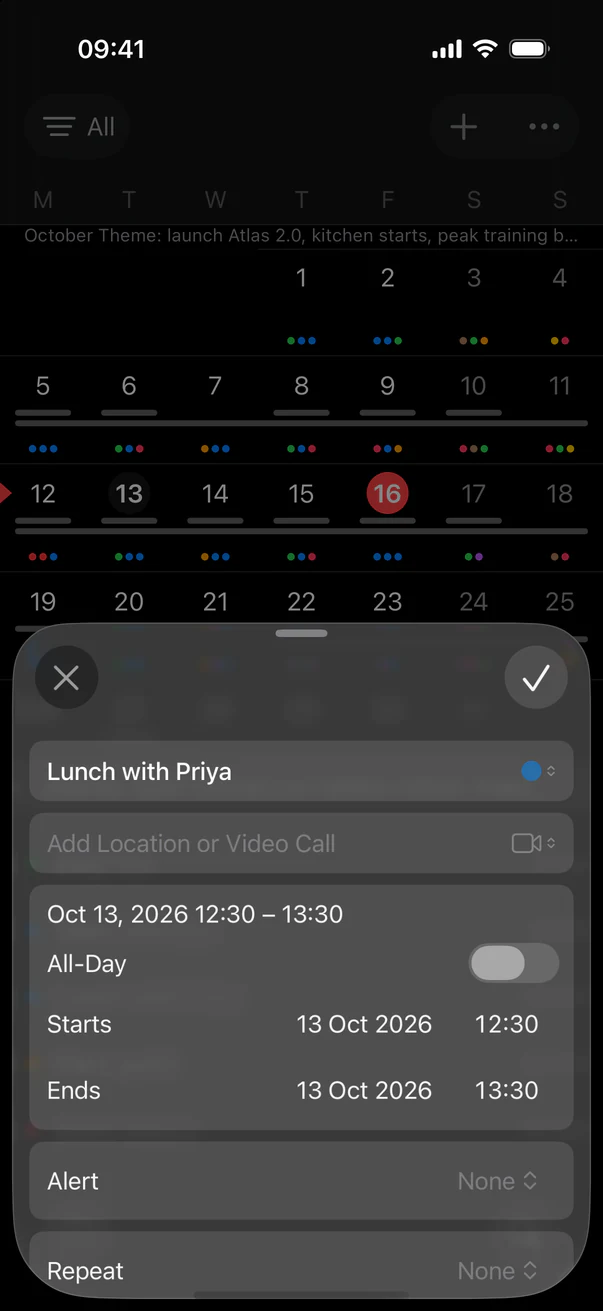
Create and edit events
From the toolbar, from a day's popover, or by clicking an hour on the day page. The inspector works the way Calendar does.
Pick what shows
Every calendar is listed under its account, in its own color. Switch off the ones you don't need here, on each device.
Stays on your device
Events are read and written through Apple Calendar on your device. They are not sent to Docbook's servers.
AI topics
Write by the day. Docbook builds the wiki.
No folders to pick, no tags to add. Docbook's AI reads each paragraph you write, works out what it's about, and files it on that subject's page, under the right heading. Keep writing, and the pages grow into a wiki of your own.
New
Native on Mac, iPad and iPhone.
Built for each device, not wrapped from the web. Open the app and start writing as a guest; sign in with Apple, Google or email when you want your notes everywhere.
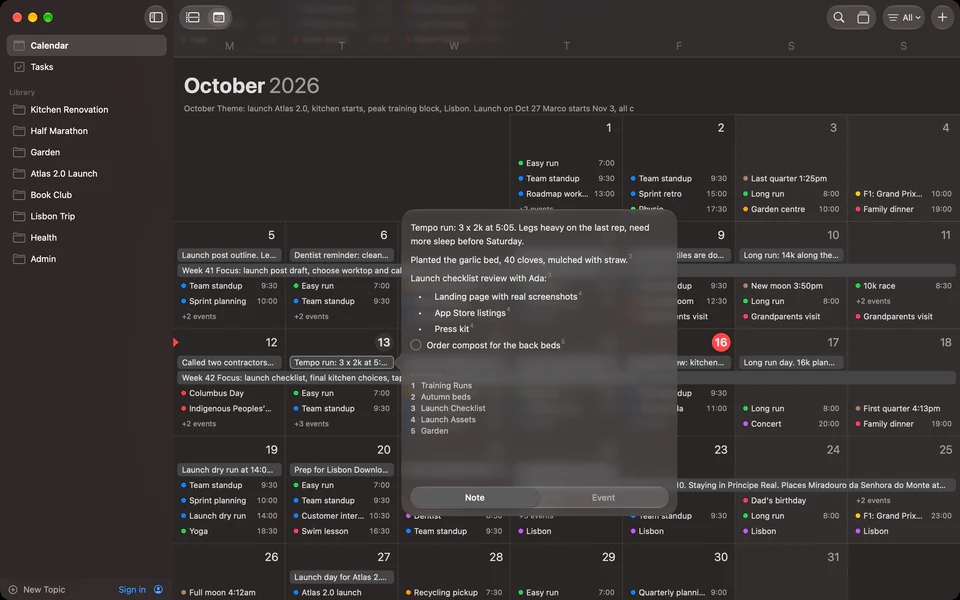
Mac
Topics in the sidebar, footnotes in the note, a resizable note sheet on the day page, and the keyboard shortcuts you expect.
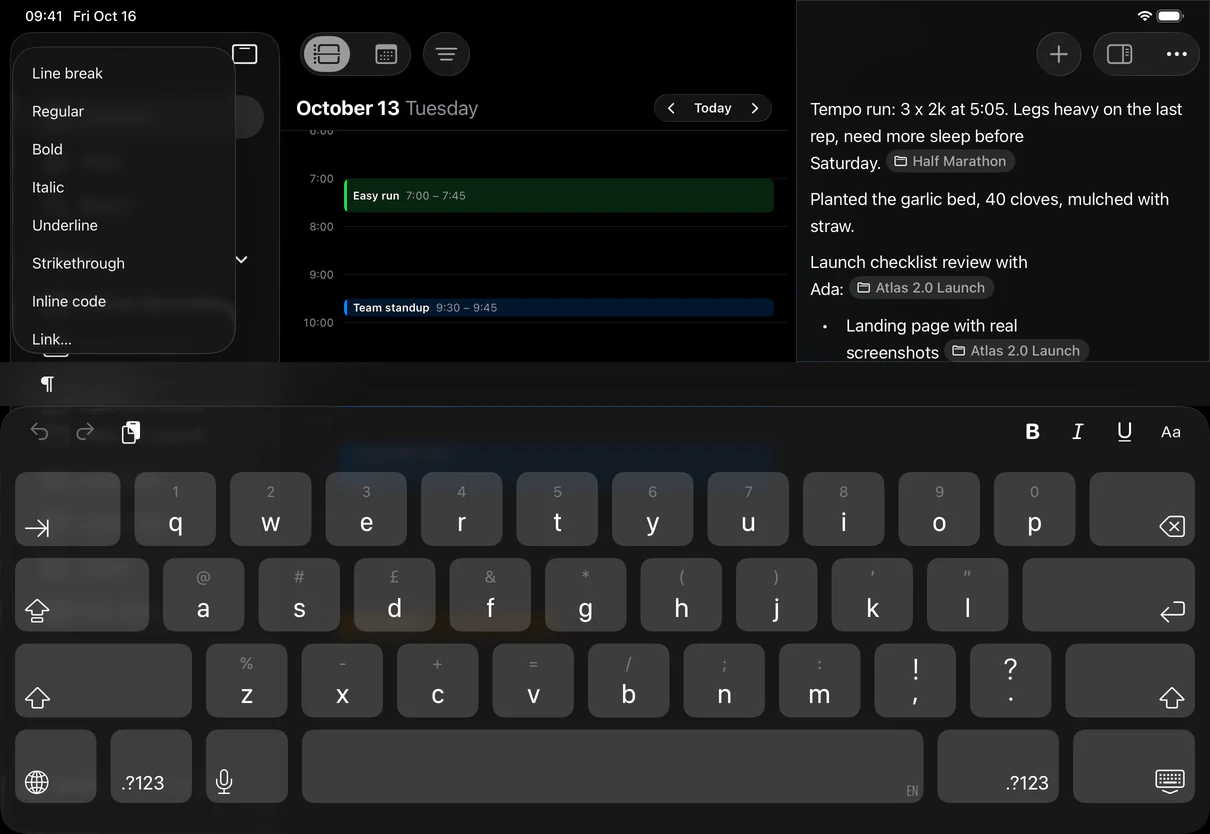
iPad
Made for touch. Day and Month views, notes in popovers, and the format menus riding on the keyboard.
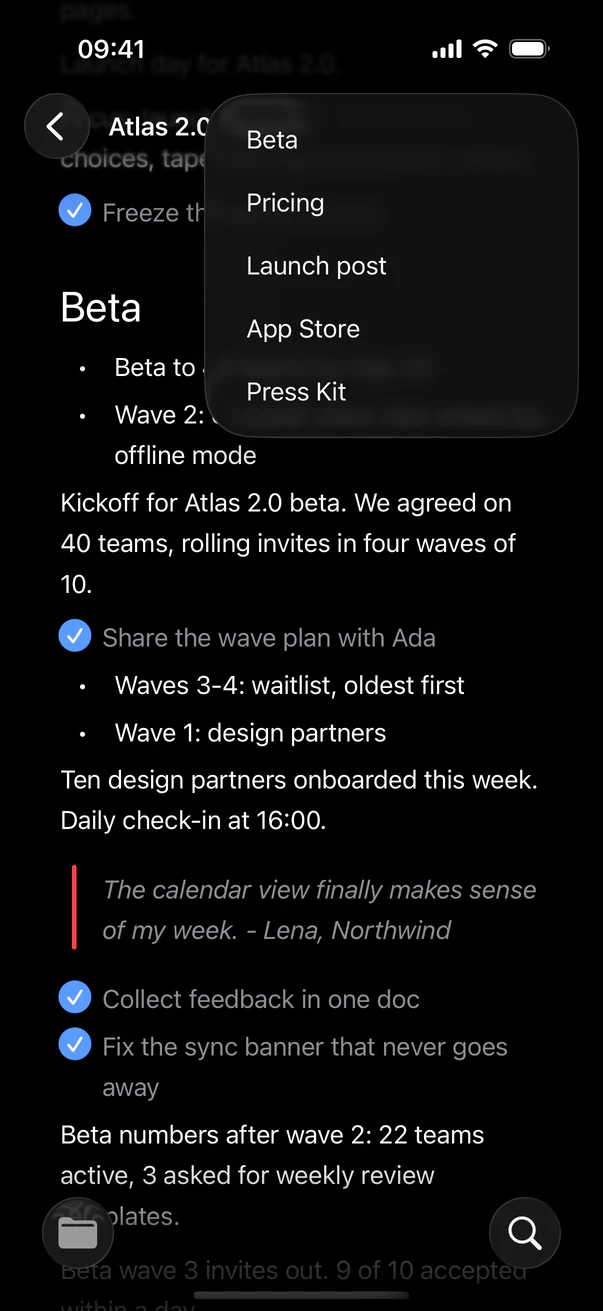
iPhone
The month in your pocket. Tap a day for its note and events, open any topic from Library.
Markdown editing.
Encryption at rest.
Markdown shortcuts for writing, and server-side encryption for stored note content.
Markdown editor
Write with Markdown-style shortcuts and see formatting appear as you type.
Encryption at rest
Note content is encrypted at rest on our servers. The server can decrypt it. Selected content is sent to Google Gemini for AI topic analysis and tidy-up suggestions.
Free to write. Pro for every topic.
Notes, calendar, tasks, search and sync are unlimited on both plans, on the web, Mac, iPhone and iPad. Pro is not on sale yet. Until it is, there is no limit for anyone.
- Free$0Start writing
- Unlimited notes on any day, and range notes that cover several days
- Calendar, tasks and search, unlimited
- Sync across the web, Mac, iPhone and iPad
- The AI follows up to 5 topics
- Pro$7.99 a month, or $59.99 a yearComing soon
- Everything in Free
- The AI follows every topic
Accounts opened on or before 12 November 2026 keep Pro for good, free.
Get Docbook.
Everything on this page is in the Mac app, your Apple calendars included. The web app has your notes, topics and tasks, and your Google Calendar, in any browser.
 Docbook for MacmacOS 26 or laterDownload for MacUpdates itself
- Web appAny browser, no account neededOpen web appapp.thedocbook.com
- iPhone & iPadiOS and iPadOS 26 or later
Start thinking in connected notes.
Capture ideas, structure thoughts, and develop your insights naturally inside Docbook.
needed